
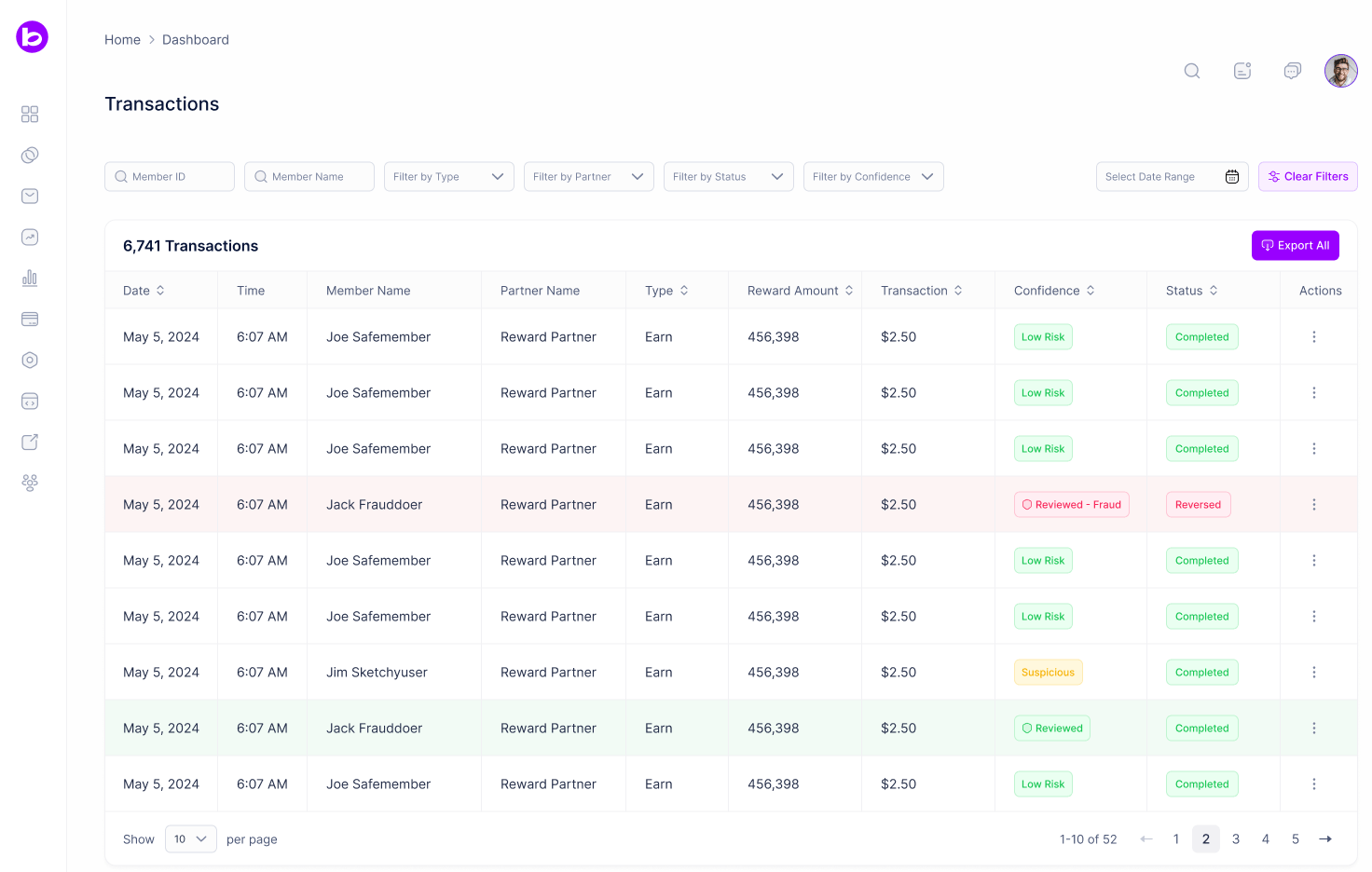
Filters and Search
Date Range Select a custom date range to view transactions for a specific time period. Member ID Search for transactions by entering a member’s loyalty program ID. Member Name Search for transactions by entering a member’s name. Filter by Type Filter transactions by activity type:- All: View all transaction types
- Earn: View only point earning transactions
- Redeem: View only point redemption transactions
- Transfer: View only point transfer transactions
Transaction Table
The table displays detailed information for each transaction and can be sorted by column:- Date: The date the transaction occurred
- Time: The time the transaction occurred
- Member Name: The name of the member
- Partner Name: The partner associated with the transaction
- Type: Transaction type (Earn, Redeem, or Transfer)
- Reward Amount: The number of points involved in the transaction
- Transaction: The dollar value of the transaction
- Confidence: A color coded fraud confidence indicator for the transaction
- Status: Current status of the transaction (Completed, Pending, etc.)
- Actions: Click the menu icon to access transaction actions
Confidence
Every reward transaction is automatically evaluated for fraud risk and assigned a confidence score, shown as a color coded badge:- Green: High confidence the transaction is legitimate
- Yellow: Suspicious, warrants review
- Red: High likelihood of fraud
Fraud Alert Emails
You can subscribe to email notifications for flagged transactions from your profile. Fraud alert emails are off by default. When you enable them, choose which transactions trigger an email:- High Risk Only: Only transactions with high fraud likelihood
- High Risk and Suspicious: High risk and suspicious transactions
- All Transactions: Every assessed transaction
Transaction Actions
Reverse Reverses the transaction. For Earn transactions, this removes the points from the member’s account. For Redeem transactions, this refunds the points back to the member. For Transfer transactions, this reverses the point movement in both the source and destination accounts.Transaction Detail Page
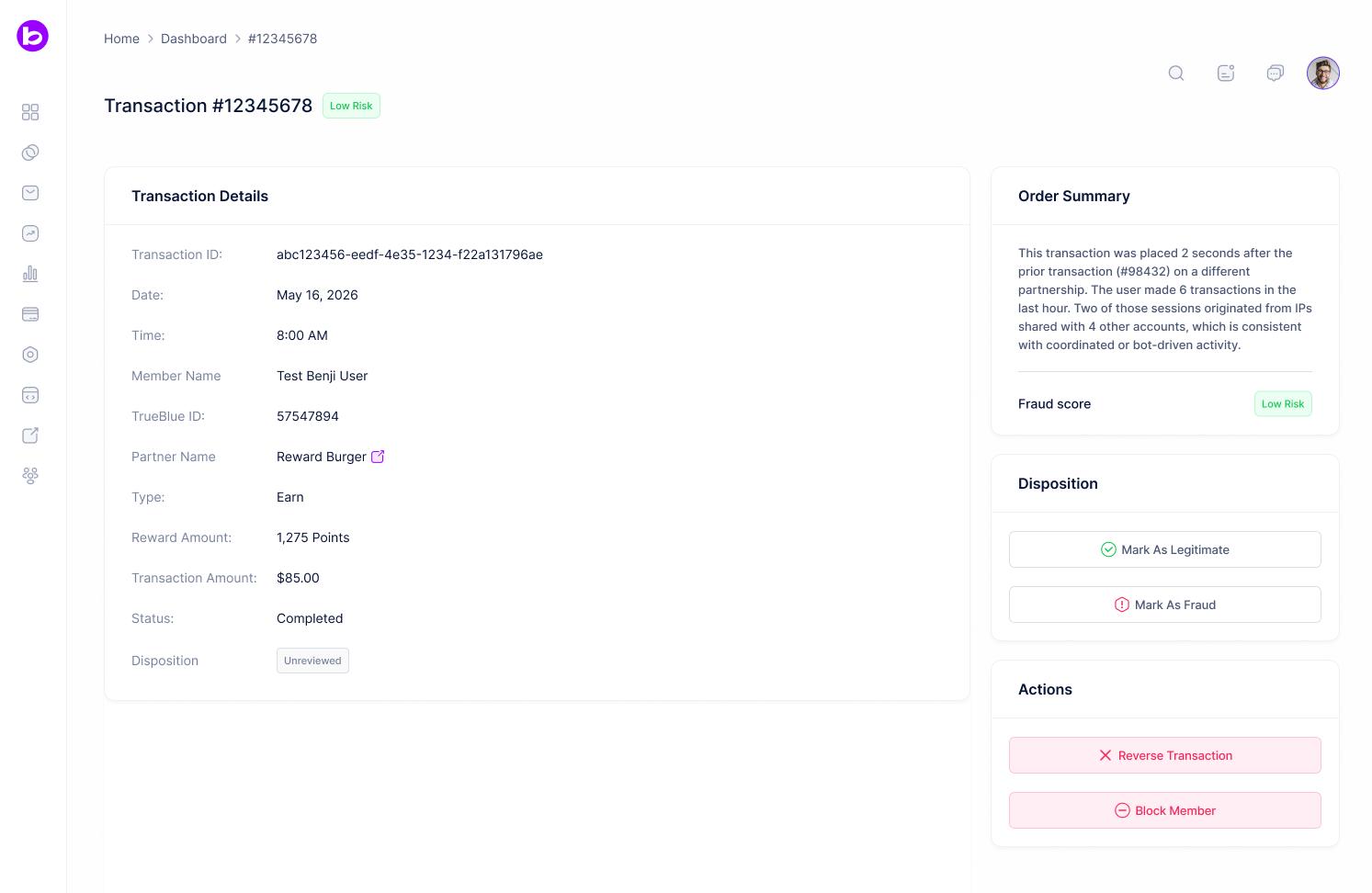
- Transaction Frequency: Abnormally high number of transactions in a short window
- Transaction Size: Amount deviates from the partnership’s historical norms
- IP Analysis: Multiple distinct IP addresses for the same member in a short window
- Velocity: Rapid, successive transactions from the same member
- Amount Anomaly: Deviates from the member’s own spending pattern
- Account Takeover: Multiple accounts share a device, with elevated risk on the first earn from that device
- Reverse Transaction: Voids the transaction and undoes the points movement
- Block Member: Suspends the member from all future program activity