> ## Documentation Index
> Fetch the complete documentation index at: https://docs.withbenji.com/llms.txt
> Use this file to discover all available pages before exploring further.
# Introduction to the Benji Connect SDK
> An SDK that simplifies connectivity to reward partners.
 ## Overview
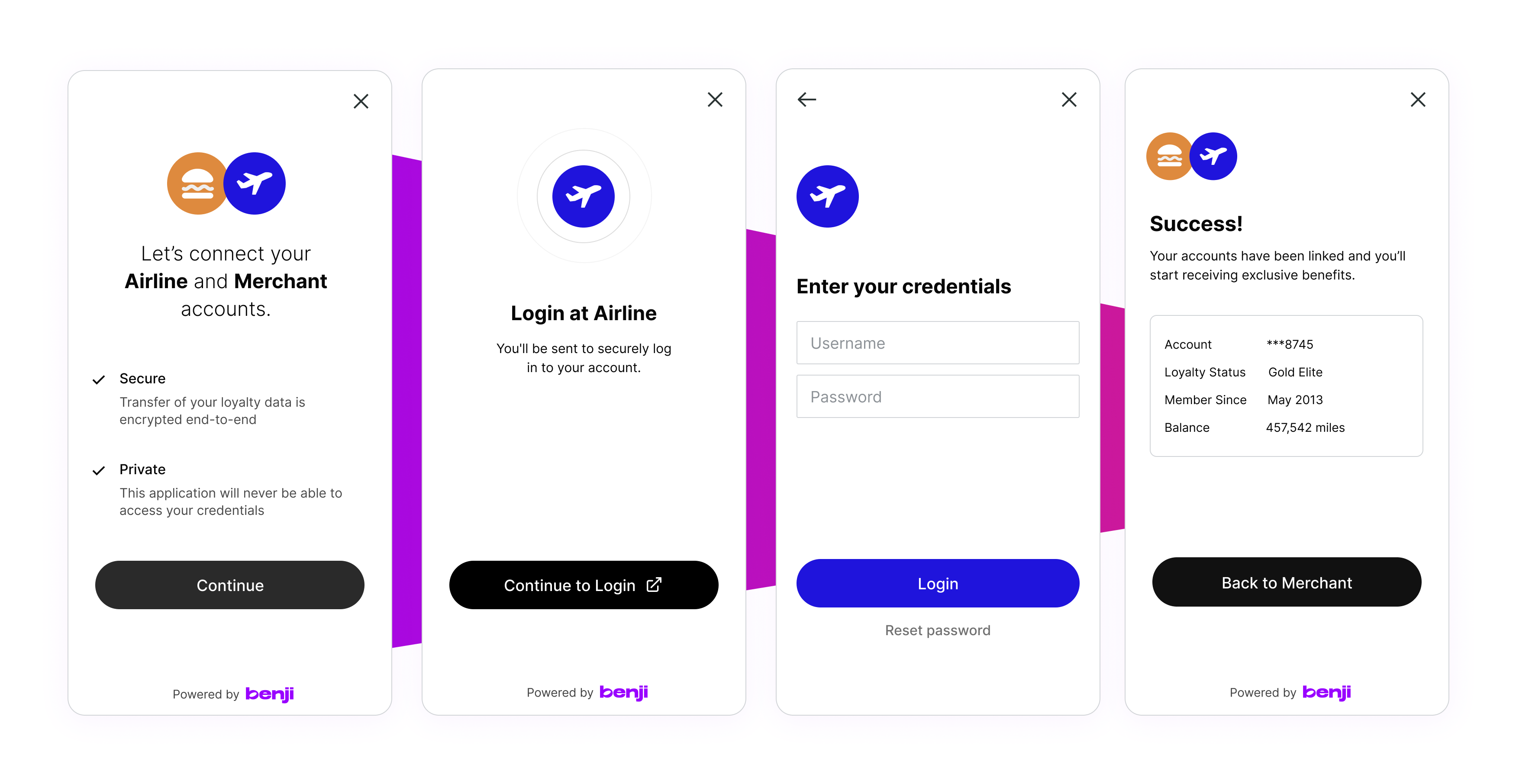
The Benji Connect SDK is a JavaScript/TypeScript library that opens a **modal** to the Benji Connect experience. After your user completes the flow, you receive a short-lived token to [exchange](/connect/exchange_token) for API access, plus structured metadata about the user and any transaction context.
**Connect modes** (what the user is doing in the UI—link account, transfer points, redeem points) are determined by the [connect token](/connect/create_token) you create on your server (`mode` and optional `custom_attributes`). See [Connect modes](/connect/modes) for values and usage. That is separate from your **partnership type** in Pilot (e.g. [Direct vs Marketplace](/pilot/concepts)), which describes how the partnership is sourced.
The connect token encodes mode, partnership, and user hints. You create it with your **partner API key** ([Pilot Developer](/pilot/developer)) via the [Create Token](/connect/create_token) API.
### Benji Connect flow
1. [Create a connect token](/connect/create_token) on your server (`partnership_id`, `mode`, optional `user_external_id`, optional `custom_attributes`, etc.).
2. [Initialize the Benji Connect SDK](/connect/initialization) with that token, your [environment](/connect/initialization) (`development` | `sandbox` | `production`), and optional callbacks (`onSuccess`, `onError`, `onExit`, `onEvent`).
3. Call **`open()`** when the user starts Connect (e.g. button click). The **Benji Connect SDK** presents the Connect flow in that modal; the Connect URL includes your token as **`connect_token`** (same idea as [**Benji Hosted Connect**](/connect/hosted/introduction) query parameters).
4. [Handle callbacks](/connect/methods): completion and errors are described in the Methods & Events page (`onSuccess` receives the exchange token after **`FLOW_SUCCESS`**).
5. [(Optional) Exchange the token](/connect/exchange_token) from **`onSuccess`** for long-lived `access_token` / `refresh_token` pairs for user-scoped Benji APIs.
Treat access and refresh tokens as secrets. Store them securely and rotate using the refresh flow when access tokens expire.
## Overview
The Benji Connect SDK is a JavaScript/TypeScript library that opens a **modal** to the Benji Connect experience. After your user completes the flow, you receive a short-lived token to [exchange](/connect/exchange_token) for API access, plus structured metadata about the user and any transaction context.
**Connect modes** (what the user is doing in the UI—link account, transfer points, redeem points) are determined by the [connect token](/connect/create_token) you create on your server (`mode` and optional `custom_attributes`). See [Connect modes](/connect/modes) for values and usage. That is separate from your **partnership type** in Pilot (e.g. [Direct vs Marketplace](/pilot/concepts)), which describes how the partnership is sourced.
The connect token encodes mode, partnership, and user hints. You create it with your **partner API key** ([Pilot Developer](/pilot/developer)) via the [Create Token](/connect/create_token) API.
### Benji Connect flow
1. [Create a connect token](/connect/create_token) on your server (`partnership_id`, `mode`, optional `user_external_id`, optional `custom_attributes`, etc.).
2. [Initialize the Benji Connect SDK](/connect/initialization) with that token, your [environment](/connect/initialization) (`development` | `sandbox` | `production`), and optional callbacks (`onSuccess`, `onError`, `onExit`, `onEvent`).
3. Call **`open()`** when the user starts Connect (e.g. button click). The **Benji Connect SDK** presents the Connect flow in that modal; the Connect URL includes your token as **`connect_token`** (same idea as [**Benji Hosted Connect**](/connect/hosted/introduction) query parameters).
4. [Handle callbacks](/connect/methods): completion and errors are described in the Methods & Events page (`onSuccess` receives the exchange token after **`FLOW_SUCCESS`**).
5. [(Optional) Exchange the token](/connect/exchange_token) from **`onSuccess`** for long-lived `access_token` / `refresh_token` pairs for user-scoped Benji APIs.
Treat access and refresh tokens as secrets. Store them securely and rotate using the refresh flow when access tokens expire.